Webflow Done-For-You: When to Hire vs. DIY Your Template
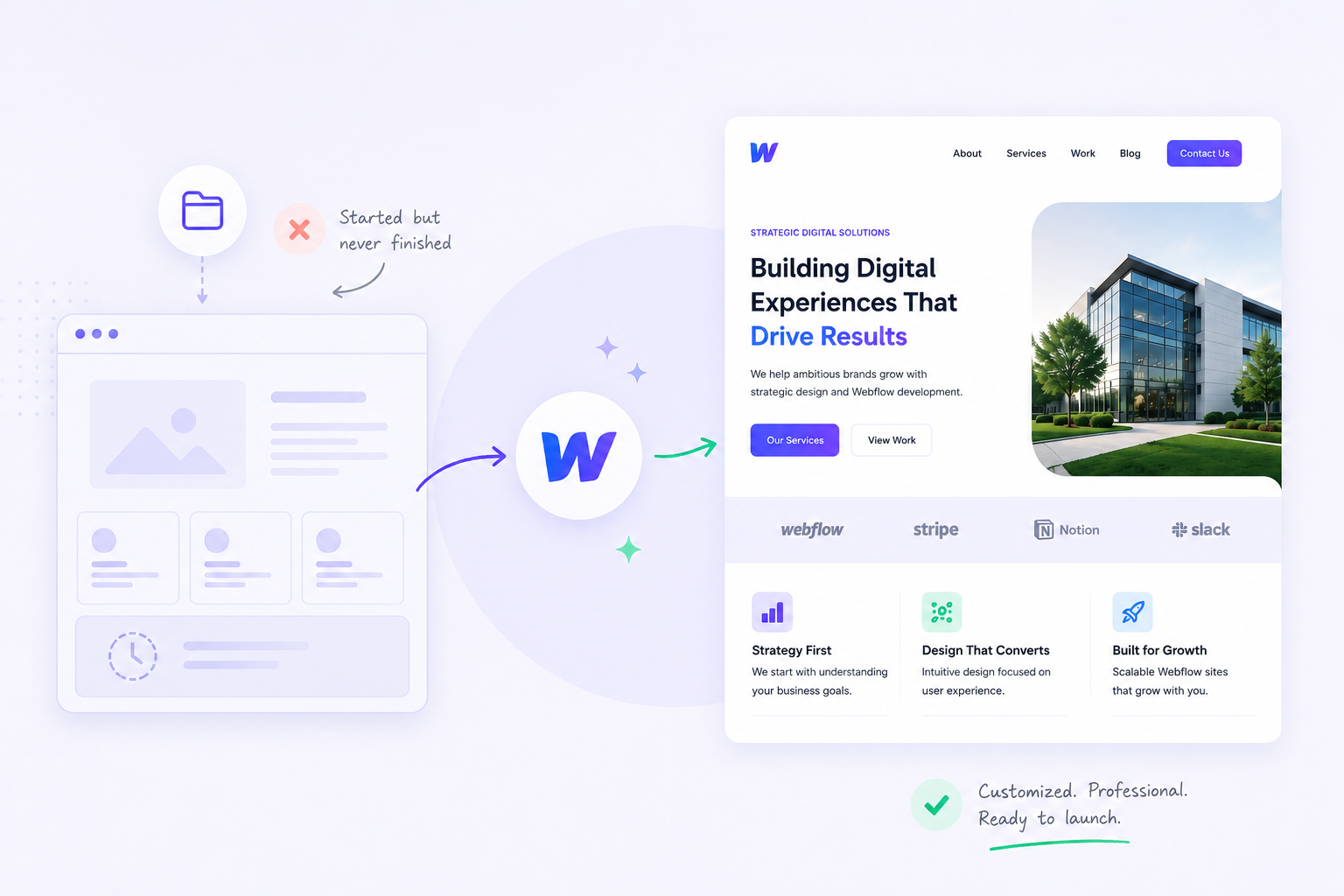
You bought the template. It looked exactly right — the right industry, the right page count, the right aesthetic. You opened Webflow, poked around for an hour, and then closed the tab. That was six weeks ago.
You are not alone. According to a 2025 survey by All About Cookies of 1,000 U.S. internet users who had started a website-building project, 51% abandoned the project before finishing — and 22% never came back to it at all. Only 25% finished without significant issues. The most commonly cited blockers were design and layout decisions (37%), followed by time constraints and missing content.
This is not a Webflow problem. It is a decision problem. And the longer the tab stays open, the more it costs.
This guide covers exactly when it makes sense to do it yourself versus hand the project to someone else — and what to do when you are ready to stop deciding and start launching.
What is a Webflow done-for-you service?
A Webflow done-for-you service takes a purchased Webflow template and delivers a fully configured, branded, content-populated site — without the buyer needing to open Webflow's Designer. You provide the content, brand assets, and feedback. A specialist handles everything from colour application to CMS setup to on-page SEO. The output is a ready-to-publish site on your domain.
This is distinct from a custom Webflow build (which starts from a blank canvas and typically runs $10,000–$50,000+) and from buying a template with the intention of doing it yourself (which is where most stalls happen). A done-for-you service sits in the middle: the structure and design are already built into the template; the service applies your specific business to that structure.
From our experience at Loonis completing template customisation projects across six industries, the pattern is consistent: the template purchase is fast, the intent is clear, and then the site sits untouched because every configuration decision requires time the founder doesn't have.
What are the three real reasons a Webflow template stalls?
The three reasons a Webflow template sits unfinished are content, branding decisions, and time — in that order. None of them are technical. Webflow's visual editor is genuinely usable by a non-technical founder. The bottlenecks are decisions, not skills.
Reason 1: Content is harder than it looks.
Most founders underestimate how long it takes to produce homepage copy that actually converts. "We help businesses grow" is not a headline. A specific, differentiated value proposition that fits in one sentence — written clearly enough that a first-time visitor understands it in five seconds — takes days, not hours. Industry practitioners consistently name content readiness as the primary cause of website project delays, ahead of design and development combined (ForeFront Web, 2026; Elementor, 2026).
The trap: opening the template before the copy is written. Thirty minutes of staring at placeholder text, no words yet, tab closed.
Reason 2: Branding decisions feel permanent.
Which of the three blue colour options? Which font weight for the headings? Is the logo too large? These feel like permanent decisions because they are visible, and visibility feels consequential. Brand consultants describe the pattern precisely: fear of getting it wrong creates analysis paralysis, and analysis paralysis delays everything downstream.
The trap: spending three sessions on colour instead of one, then stopping to "think about it some more."
Reason 3: You do not have a contiguous week.
A premium Webflow template configured correctly requires 20–40 hours of focused work: populating every page, uploading every image, setting meta titles, configuring CMS collections, testing on mobile, connecting the domain, and doing a pre-launch checklist. A founder who is also doing sales, ops, and delivery cannot find 20–40 contiguous hours. So it happens in fragments of 45 minutes, which is not enough time to build momentum.
The trap: fragmentary progress that never reaches critical mass, and a launch that always feels two weeks away.
How much does it cost to leave your template unfinished?
Every month a business website sits unfinished in a tab costs approximately $1,500–$2,500 in unrealised pipeline — more than the price of having a specialist finish it in 5 business days. The cost is not dramatic or visible. It compounds quietly through missed referral conversions, lost credibility with prospects who Google you and find nothing, and SEO age that your site is not accumulating.
The math:
- Referred prospects who can't find a website. Research from LeadsAgent (2026) shows roughly half of referred prospects who search for a business and find no website will contact a competitor instead. For a service business receiving 10 referrals per month with an average job value of $500, losing 3 of those referrals costs $1,500/month — invisible, uncounted, but real.
- Equivalent paid acquisition cost. The blended average cost per lead in 2026 is approximately $214, up from $198 in 2025 (Emulent, 2026 benchmark). A site generating 10 organic or referral leads per month represents $2,140 per month in equivalent paid acquisition spend. Every month the site is not live is a month that spend is wasted.
- Credibility with prospects who do find you. 31% of U.S. consumers report they have chosen not to engage with a small business specifically because it had no website (Top Design Firms/Clutch, 2021). A partial, unpolished site can be worse than no site — and a done-for-you service eliminates the risk of publishing something half-finished.
The question is not whether to finish the site. The question is whether the cost of finishing it yourself — in your time, your energy, your delayed launch — is worth the money saved versus having it done in 5 days.
When should you DIY your Webflow template?
DIY is the right choice when you have three things available simultaneously: 20–40 hours in the next two weeks, all page copy already written, and clear brand decisions already made. If any of those three is missing, the expected timeline extends by at minimum 2–4 weeks per missing element — typically pushing a "2 week" project into a 3-month project.
DIY works well for:
- Founders who are close to the product and want control over every word. Some businesses — early-stage startups, solo consultants, coaches — benefit from the founder's voice being embedded in the copy. If that is you, do it yourself. But write the copy offline first, then open Webflow.
- Teams with a designer or content person who can dedicate focused time. If you have a team member whose job for the next two weeks is to launch the site, DIY is efficient.
- Projects where the template closely matches the existing brand. If your colours, fonts, and visual identity are already established and documented, the configuration work is mechanical. If your brand is still evolving, you will change things repeatedly and lose time.
The honest test: if you have missed one self-imposed launch deadline already, the probability of meeting a second is low. That is the empirical signal to stop DIY-ing.
When should you hire a done-for-you service?
Hire a done-for-you Webflow service when any of the following are true: you have a hard launch deadline (fundraise, press event, product launch), you have already missed a self-imposed deadline, you do not have a free week, or the template has been open in a tab for more than 30 days. In these cases, the cost of delay exceeds the cost of the service within 4–6 weeks.
The right moment to stop doing it yourself:
- You are approaching a specific event. A fundraising pitch, a press mention, a trade show, a product launch — all create hard deadlines. A 5-day delivery guarantee eliminates the risk of arriving at the event without a live site.
- The tab has been open for more than 30 days. This is the clearest behavioural signal. If the site were genuinely going to get done in your spare time, it would have progressed more than it has. 30 days of open tab is 30 days of evidence.
- You are paying for tools the site should be replacing. Paying for a freelance CRM integration or a separate landing page builder while the main site sits unfinished is a direct cost of delay. A done-for-you service that launches in 5 days stops that bleed immediately.
- The project has scope-crept beyond a template. You started with a template and have now decided you also need a custom booking flow, a password-protected client portal, and a chatbot. That is no longer a template customisation — that is a custom build, and it needs a different conversation.
What does the Loonis done-for-you service actually include?
The Loonis Launch & Grow bundle at $2,295 delivers a fully configured, branded, content-populated Webflow site in 5 business days — with 3 months of post-launch support included. This is the right tier for most business owners who have a Loonis template and a launch deadline: the site is done in a week, and updates and questions during the first quarter are handled without additional billing.
Here is what each tier covers:
Pro — $1,495 — 5 business days
Brand alignment across the entire template (colours, fonts, logo), all page content updated with your copy and images, navigation and footer configured, up to 4 new layout sections if needed, basic on-page SEO (meta titles, descriptions, alt text), and CMS collections set up. Right for business owners with clear content and brand decisions already made.
Launch & Grow — $2,295 — 5 business days + 3 months support
Everything in Pro, plus broader content coverage, greater layout flexibility, and 3 months of post-launch support included. Content updates, layout tweaks, and questions handled by the Loonis team during the three months after launch — no hourly billing, no scope negotiations. Right for early-stage businesses that know their content will evolve as they go live.
Premium — from $2,900 — 8+ business days
Everything in Pro plus custom pages, e-commerce, third-party integrations, and AI-generated graphics. Requires a 30-minute discovery call. Right for projects that need functionality outside the template's default scope.
Not sure which fits? The Launch Plan Builder quiz recommends the right template and service tier in under 3 minutes.
What do you need to have ready before handing off the project?
To get the most from a 5-day done-for-you Webflow service, you need four things ready before submitting your brief: all page copy in a single document, brand assets (logo in SVG or transparent PNG, hex colour codes, font names), all images and team photos, and a clear decision on your primary call to action. Missing any one of these adds 1–3 days to delivery. Missing all four means the project cannot start.
The brief checklist:
- All page copy written. Homepage headline, subheadline, features section text, about section, team bios, and contact information. Not notes — actual copy. If you do not have this, write it before submitting the brief. Writing copy inside Webflow, surrounded by live design, is slower and harder than writing it in a blank document.
- Brand assets packaged. Logo file (SVG or transparent PNG — not JPG), primary and secondary hex colour codes, font names (or font files if you have custom licensing).
- All images ready. Team photos (minimum 800x800px), product screenshots, any industry imagery you want to use. If you do not have photos, confirm this upfront — the service can use professional stock imagery as a placeholder.
- Primary CTA confirmed. What is the one action you want every visitor to take? Book a call, fill a form, start a trial, buy a template. The entire site's conversion architecture points toward this action. Decide before the project starts.
The Loonis brief captures all of this in a structured intake form. Projects submitted with a complete brief consistently deliver on the 5-day commitment. Projects submitted with missing assets extend by 1 day per missing element on average.
Frequently asked questions
What is a Webflow done-for-you service?
A Webflow done-for-you service takes a purchased Webflow template and delivers a fully configured, branded, content-populated site without the buyer needing to open Webflow's Designer. You provide content, brand assets, and feedback. A specialist handles brand application, content population, CMS setup, on-page SEO, and mobile QA. The output is a ready-to-publish site. Loonis Pro ($1,495) and Launch & Grow ($2,295) are done-for-you services built for Loonis templates specifically.
Why do Webflow templates go unfinished?
Three reasons, in order: content is not ready (copy takes longer than expected), branding decisions create paralysis (which font, which colour, which layout variant), and time is scarce (the 20–40 focused hours the project requires are not available in fragments of 45 minutes). According to a 2025 All About Cookies survey of 1,000 U.S. internet users, 51% of people who start a website project abandon it before finishing — and 22% never return to it. None of the common blockers are technical.
How long does a Webflow done-for-you service take?
Loonis Pro and Launch & Grow both deliver in 5 business days from the moment you submit a complete brief — with all page copy, brand assets (logo, hex codes, fonts), and images ready at the start. The most common cause of delays is an incomplete brief. Premium projects (from $2,900) have timelines confirmed at the discovery call stage based on scope.
When should I stop trying to DIY my Webflow template?
Stop doing it yourself when any of these are true: the template tab has been open for more than 30 days without significant progress, you have missed one self-imposed launch deadline, you have a hard external deadline (fundraise, press event, product launch), or you are spending money on tools the live site should be replacing. In these cases, the cost of delay — typically $1,500–$2,500 per month in unrealised pipeline — exceeds the cost of a 5-day done-for-you service within the first 4–6 weeks.
Does a done-for-you service work on any Webflow template?
Loonis's done-for-you service works exclusively on Loonis templates. The team that built the template handles the customisation — meaning the class naming system, CMS architecture, and component structure are already understood, making the 5-day delivery promise reliable. For templates from other studios (BRIX, Flowbase, Relume, Webflow Marketplace), a freelance Webflow developer is the right option.
The bottom line
The template was the right call. The decision to launch faster than a custom build or a full agency project is the right call. The only remaining question is whether you are going to finish it yourself — and if you are honest about the last 30 days, you probably already know the answer.
Loonis Launch & Grow is the fastest path from open tab to live site: $2,295, 5 business days, 3 months of post-launch support. Pro at $1,495 is the right starting point if your content and brand decisions are already made.
If you'd rather keep going yourself, the Launch Plan Builder quiz at least confirms you have the right template for your industry — which is the other thing that slows people down.