Best Webflow Templates for AI Infrastructure and Developer Platforms

Most Webflow templates are built for generic SaaS products. They show a hero section, a feature grid and a pricing table. That works for a business tool aimed at office buyers. It does not work for an AI infrastructure company, a model API provider or a developer platform.
Your first impression is made on a technical audience. According to a 2025 Netlify developer experience report, 67% of developers make a platform evaluation decision within 90 seconds of landing on a product website. If your site cannot show an API call, a benchmark number or a working code sample in that window, you lose them before you start.
Webflow templates built specifically for AI and developer platforms are still rare. This post covers the best options in 2026, with Lattis by Loonis as the primary pick.
What makes an AI infrastructure website different from a standard SaaS site?
An AI site talks to developers, not buyers. They skip the hero. They go straight to the docs. They want to see API calls and run times. A SaaS template is made for sign-ups. An AI site is made to pass a code review. That gap shapes every page.
Four things separate an AI-native template from a repurposed SaaS template.
Code samples in the product sections. Developer buyers expect to see what an API call looks like before they sign up. Templates built for general SaaS rarely include code block components with language switching.
Benchmark and comparison tables. AI infrastructure buyers evaluate on performance: latency, throughput, context window, uptime. A standard SaaS template has no place to show these.
A changelog. Developers track how fast a platform ships. A public changelog page is a trust signal that most SaaS templates omit entirely.
Usage-based pricing. Most AI platform pricing is consumption-based, not seat-based. A template with only Starter, Pro and Enterprise plan cards cannot display token rates or per-request costs cleanly.
A 2024 DeveloperNation survey found that 58.5% of developer platform evaluations include a review of public documentation or a changelog before any sales contact. Source: DeveloperNation Global Developer Survey, 2024.
What pages does an AI infrastructure site need?
An AI site needs more pages than a SaaS site. Start with a home page that leads with the API. Add product pages with code samples and run times. You need a pricing page with usage rates, an integrations list, a public changelog and a docs page. A security page and customer stories round it out. That is 10 to 15 pages before you add a blog.
Based on our analysis of the Loonis template catalogue, AI and developer platform templates need 28 to 34 pages to cover this full structure. A generic 10-page SaaS template leaves 60 to 70% of the required page set missing.
Lattis by Loonis: purpose-built for AI infrastructure
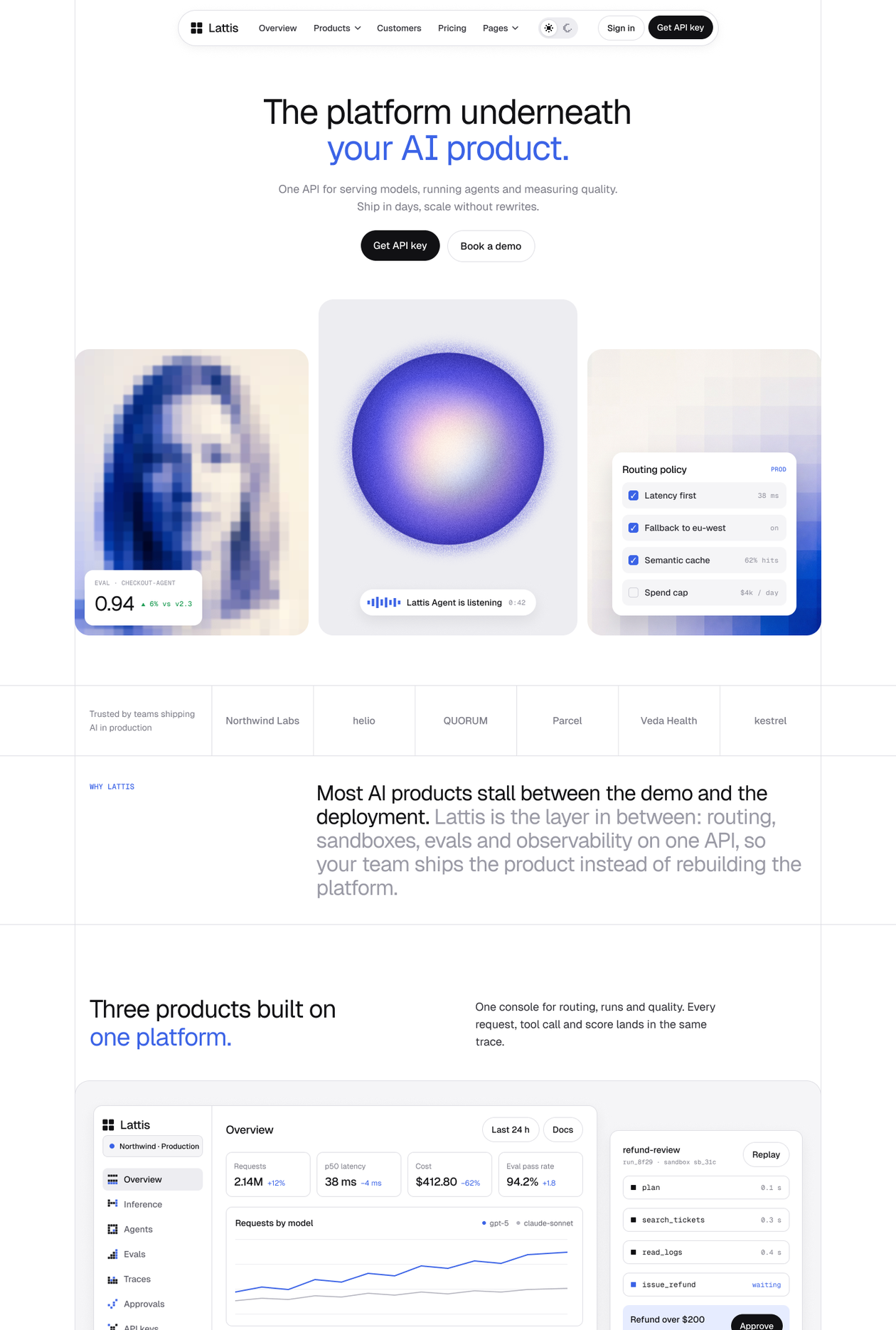
Lattis is a Webflow template designed for AI infrastructure and developer platform companies. It ships with 34 pages, four CMS collections and a full light and dark mode system driven by variables. The demo brand is a fictional AI platform with three products: Inference, Agents and Evals.
Lattis is built for teams that need a developer-first website ready to launch. It ships with product pages for each product area, a pricing page with usage rates, an integrations directory with CMS filtering, a public changelog, a docs quickstart, a security page and a customer stories section. Three home layouts let you match the tone of your platform: a centred image hero, a full-bleed video hero and a console-led layout with code tabs.
Who it is for: AI infrastructure and inference providers, LLM and agent platforms, MLOps and evaluation tools, API-first developer products, B2B SaaS teams launching AI features, and the agencies that build their sites.
View Lattis at loonis.co/template/lattis. Live preview: lattis-ai-platform.webflow.io.
Want it launched for you? The Loonis team customizes Lattis in 5 days from $1,750. See loonis.co/customization.
Other Webflow templates for AI-adjacent niches
If Lattis does not match your use case, here are the closest alternatives by category. Generic Webflow SaaS templates can cover an AI product's basic marketing needs. The gap shows up in the detail: a standard SaaS template rarely has a usage-based pricing table, a changelog page or code block components with language switching built in.
How much does a Webflow template for an AI startup cost?
A Webflow template for an AI startup costs between $49 and $169. A purpose-built AI infrastructure template like Lattis costs $169, and a Figma source file is included. From our experience building AI and developer platform templates, a fully customized Lattis launch takes 5 to 8 working days depending on content updates and new sections required.
FAQ
Can I use Lattis for a non-AI developer tool?
Yes. Lattis works for any developer-first product: APIs, SDKs, data platforms, devtools and infrastructure products that need a technical marketing site. The AI framing in the demo brand is content, not structure.
Does Lattis include a docs page?
Lattis includes a Docs Quickstart page with sticky navigation and step-by-step setup sections. It covers the getting-started flow on your marketing site before developers move to external docs.
What CMS collections does Lattis include?
Lattis ships with four CMS collections: Customers, Integrations (with category, install command and detail page), Releases (for the changelog), and Articles (for the blog).
Is a Figma file included with Lattis?
Yes. Email hello@loonis.co with your receipt and it will be sent within two business days.
If you are building an AI infrastructure or developer platform site, start with Lattis. View the template at loonis.co/template/lattis. Want it live in 5 days? Book a call at loonis.co/customization.