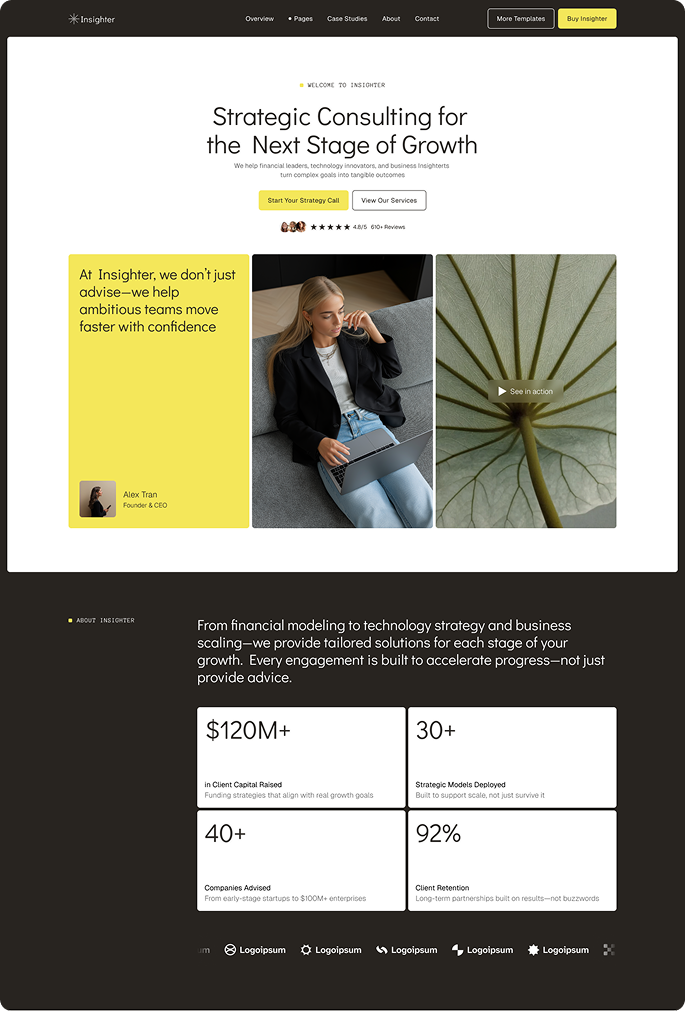
How to Choose a Webflow Template for Your Business in 2026
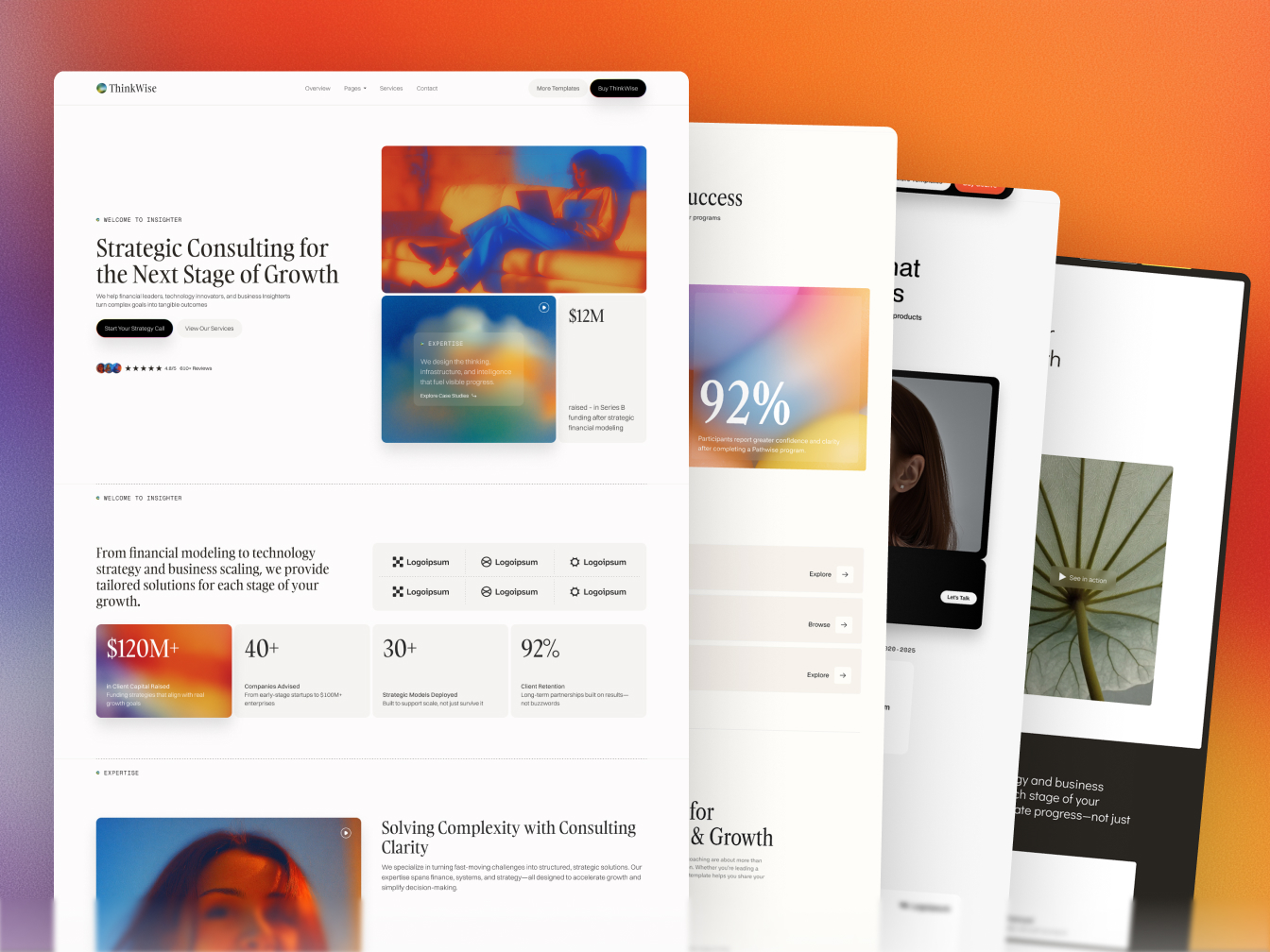
The Webflow Marketplace now lists over 7,000 templates — and most buying guides respond to this abundance by simply listing ten of them. That is not a framework. That is a catalogue with opinions. This guide is different: it walks you through the actual decision process, from identifying what your business needs to matching it to the right template for your industry, budget, and technical comfort level.
The stakes are real. A well-designed website interface can improve conversion rates by up to 200% (VWO, 2026), and 94% of first impressions are design-related, forming in just 0.05 seconds (Digital Silk, 2026). Choosing a template that fights your content structure adds weeks to your launch and limits what your site can do long-term. Choosing the right one gets you live in days.
What should I look for in a Webflow template?
The five factors that determine whether a template will work for your business are: industry fit, page count, CMS structure, responsive design across all breakpoints, and customisation flexibility. A $49 template with 8 pages solves a fundamentally different problem than a $169 template with 22+ pages and a full CMS. The first is a landing page; the second is a working website infrastructure. Start with what your business actually needs, not what looks best in a preview screenshot.
From our experience building 18+ templates across 6 industries at Loonis, the most common buying mistake is choosing based on aesthetics and then discovering the page architecture doesn't match the business. A coaching firm buying a SaaS template spends two weeks removing feature sections and adding booking flows. A VC firm buying a generic business template spends two weeks inventing a portfolio CMS from scratch. Industry-specific templates eliminate this rework entirely.
Here is the five-factor checklist to apply before buying any Webflow template:
- Industry fit. Does the template include the specific pages your business type needs? A construction company needs project portfolio pages. A consulting firm needs case study layouts. A real estate firm needs property listing CMS. Generic templates make you build these from scratch.
- Page count. Count the pages your site actually needs before browsing. A 7-page template cannot scale to a 20-page site without significant custom work. Premium templates at the $79–$169 price point include 20–30 pages; free templates typically include 4–8.
- CMS structure. Are the dynamic content sections — blog posts, portfolio items, team members, testimonials — powered by Webflow's CMS? CMS-powered sections update through a simple editor. Static sections require a developer to change. Always check whether portfolio, blog, and team sections are CMS or static before buying.
- Responsive design. Every premium template is described as responsive — but check the mobile preview specifically, not just the desktop. The mobile layout should be as clean as the desktop. The $23/month Webflow CMS hosting plan your site will need requires a site that converts on mobile, where the majority of initial traffic arrives.
- Customisation flexibility. Does the template include a Figma source file? Loonis includes a Figma file with every template (sent within 1–2 business days on request). A Figma file lets you review and modify the full design before touching Webflow — saving hours of trial-and-error inside the Designer.
How much does a Webflow template cost in 2026?
Webflow templates range from free to $169 for premium industry-specific options, with Webflow CMS hosting adding $23/month — bringing total first-year cost to approximately $350–$450 for a premium template before any setup work. Compare this to the average small business custom build, which costs $12,000–$15,000 according to Clutch's 2025 survey of 406 U.S. small business owners, and takes 4–20 weeks depending on complexity (Simpalm, 2025). Templates cut development time by approximately 68% compared to coded-from-scratch builds (Market Reports World, 2025).
Here is the honest cost breakdown across every option available in 2026:
Loonis's Pro customisation service is the middle option that removes the time cost of setup entirely: a fully configured, content-populated site built on your purchased Loonis template, delivered in 5 business days for $1,495. Total first-year cost under $2,200 — compared to $12,000+ for a freelancer or agency build at equivalent quality.
Which Webflow template is best for my industry?
The best Webflow template for your business is the one built specifically for your industry — not a generic template you adapt. Construction firms need project portfolio layouts with CMS-powered individual project pages. Consulting firms need case study sections and team credential pages. VC firms need portfolio company pages and investment thesis layouts. A generic "startup" template forces you to fight the structure — an industry-specific template gives you the right pages, the right CMS collections, and the right conversion architecture from day one.
From our analysis of 18+ Webflow templates across 6 verticals, the consistent pattern is this: businesses that choose an industry-matched template launch in days; businesses that adapt a generic template take weeks and frequently miss key structural elements. A template is not just a design — it is a content architecture decision. The industry decision table below links to every full guide, each with a complete template comparison for that vertical.
Loonis is a Webflow template studio that specialises in industry-specific premium templates — built for non-technical business owners who want a professional site launched in days, not months.
Not sure which template matches your business? Take the Loonis Launch Plan Builder quiz — it recommends the right template based on your industry, goals, and timeline in under 3 minutes.
What is the difference between free and premium Webflow templates?
A premium Webflow template is a pre-built website design that includes full CMS structure, responsive layouts across all breakpoints, Figma source files, and professional support — ready to launch with your content in days, not weeks. Free templates include 4–8 pages with no CMS, limited responsiveness, and no support channel. The difference is not just aesthetic — it is structural.
The practical consequence is that free templates hit a ceiling quickly. A free template with 6 static pages cannot support a growing blog, a case study archive, or a team page that updates without a developer. A premium template with 20–30 CMS-powered pages does all of this through a simple editor. For businesses planning to publish content, add team members, or expand services over time, free templates create technical debt from day one.
Among the 27% of small businesses in the U.S. without a website, only 16% cite cost as the primary barrier — down from 26% in 2018 (Clutch, 2025). The perception that a professional website requires a large budget has been overtaken by the reality that premium templates at $79–$169 now deliver outcomes that cost $10,000+ just five years ago.
How do I customise a Webflow template after buying it?
All Webflow template editing happens visually in the Webflow Designer — no code required. Change colours, fonts, images, text, and section layouts directly through drag-and-drop. For deeper changes — new pages, custom animations, restructured CMS collections — use the included Figma source file or engage a customisation service. Most non-technical business owners launch within 1–2 weeks of purchase.
From our experience at Loonis, approximately 60% of customers launch successfully with DIY edits only — brand colours, typography, images, and copy updates made directly in Webflow. The other 40% choose Pro or Premium customisation, usually because they want a faster launch, specific layout changes beyond the template's defaults, or content written and structured for them.
Three customisation tiers are available for Loonis templates:
- DIY — $0 beyond the template. Edit everything yourself in the Webflow Designer. Works well for founders and business owners with time to invest in the setup. Most customers complete DIY setup in 1–2 weeks.
- Pro customisation — $1,495, 5 business days. Covers branding alignment, content updates, navigation and footer, layout tweaks up to 4 new sections, and basic on-page SEO. The fastest path to a live, professionally configured site. Learn more.
- Launch & Grow — $2,295, 5 business days. Pro scope plus broader content coverage and 3 months of post-launch support. For businesses that want an ongoing partner through the first quarter after launch.
- Premium customisation — from $2,900, 8+ business days. Everything in Pro plus custom pages, integrations, e-commerce, and AI-generated graphics. Requires a 30-minute discovery call.
Frequently asked questions
Can I use a Webflow template for an e-commerce store?
Yes, but choose a template explicitly built with Webflow Ecommerce functionality enabled. Not all templates include e-commerce — check the template details page before buying. Standard Loonis templates are built for service businesses and do not include e-commerce by default, though the Premium customisation tier can add Webflow Ecommerce to any template for businesses that need online payments or product catalogues.
Do I need to know how to code to use a Webflow template?
No. Webflow is a visual builder — all standard editing happens through drag-and-drop and a point-and-click interface. Templates come with pre-built pages, CMS collections, and content structures ready for your text and images. No code is required to update copy, swap images, change brand colours, or publish new blog posts. Code is only needed for highly specific custom functionality that falls outside Webflow's native capabilities.
Can I switch Webflow templates after launching?
Technically yes, but it requires rebuilding your content in the new template structure. Webflow does not have a one-click template-switching feature — the template sets the underlying page and CMS architecture. Switching templates is essentially starting over with your content. This is why choosing the right template for your industry upfront matters: it is much harder to change later than to choose carefully now.
How long does it take to launch a website with a Webflow template?
DIY with light edits: 1–2 weeks for most non-technical business owners. With Loonis Pro customisation: 5 business days from purchase to live site. With Loonis Premium customisation: 8+ business days for complex builds. The most common delay in template-based launches is not technical setup — it is content: waiting on copy, photography, and case study text that should have been prepared before the template was purchased.
What happens if I need help after buying a template?
Loonis provides email support within 48 hours on business days for all template purchasers, plus Loom video tutorials for common customisations. If you need more substantial help — additional pages, layout changes, or full setup — the Pro and Premium customisation services are available at any time after purchase, not just at launch. Contact hello@loonis.co with your purchase receipt to get started.
The bottom line
With over 7,000 templates now available on the Webflow Marketplace, the challenge is not finding a template — it is choosing the right one for your specific business. The five factors that matter are industry fit, page count, CMS structure, responsive design, and Figma source file inclusion. Everything else — colour palettes, typography, animations — is editable in under an hour.
If you know your industry, start with the vertical guides linked in the industry table above. Each one compares every available template for that use case, including honest assessments of competitors. If you are unsure where to start, the Launch Plan Builder quiz produces a recommendation in under 3 minutes. And if you want a fully configured site without handling the setup yourself, the Loonis Pro customisation service delivers it in 5 business days for $1,495.