





Construction

Construction website builder for builders, architects and contractors.

Loonis is a construction website builder that builds your site from your own project photos, brochures or current site, in templates designed by people for construction. Start from your materials or answer a few questions. Loonis adds your services, your projects and the areas you work in, and checks the rules for your country. Edit by chat, publish in minutes.

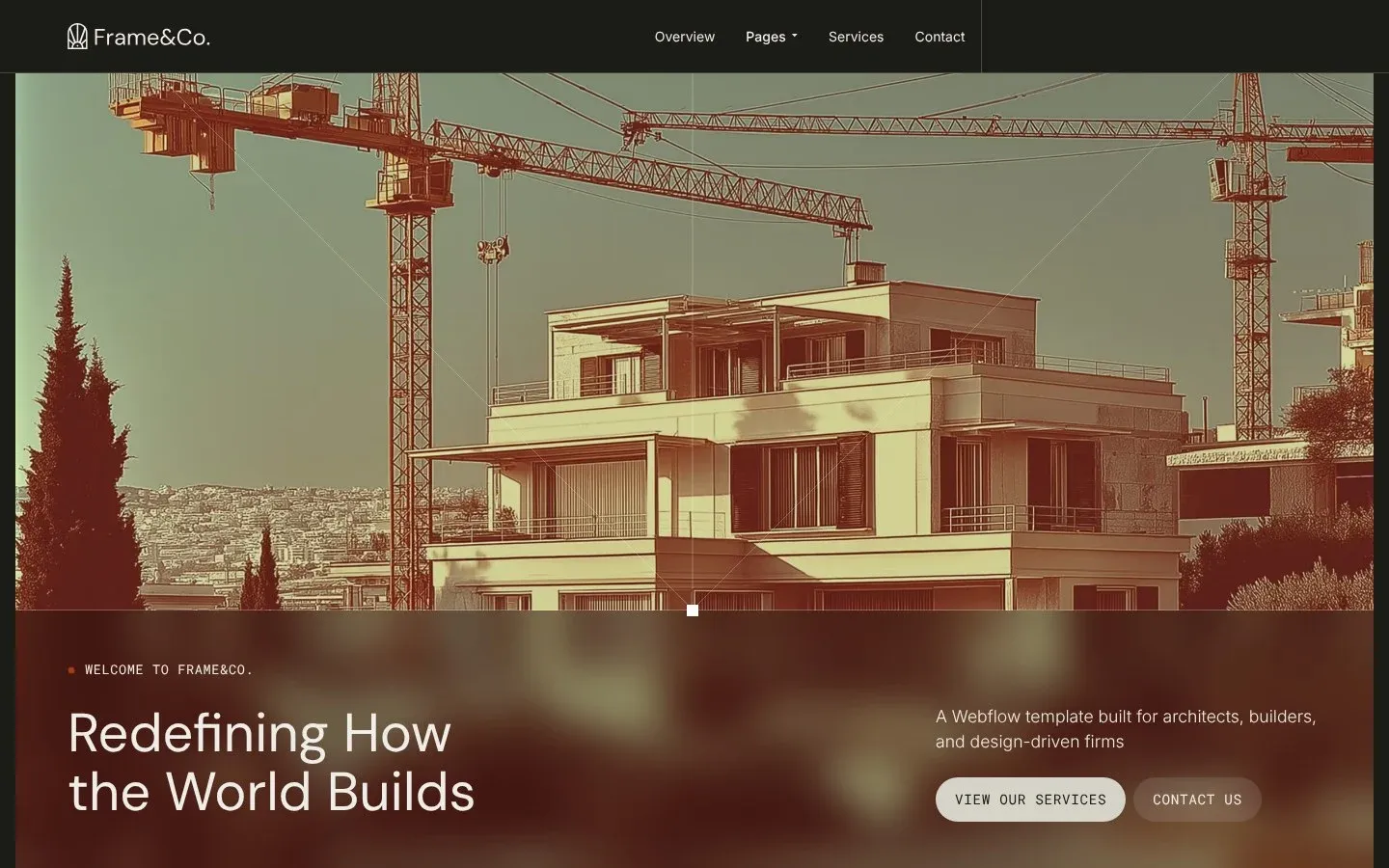
The frame-co construction template home page
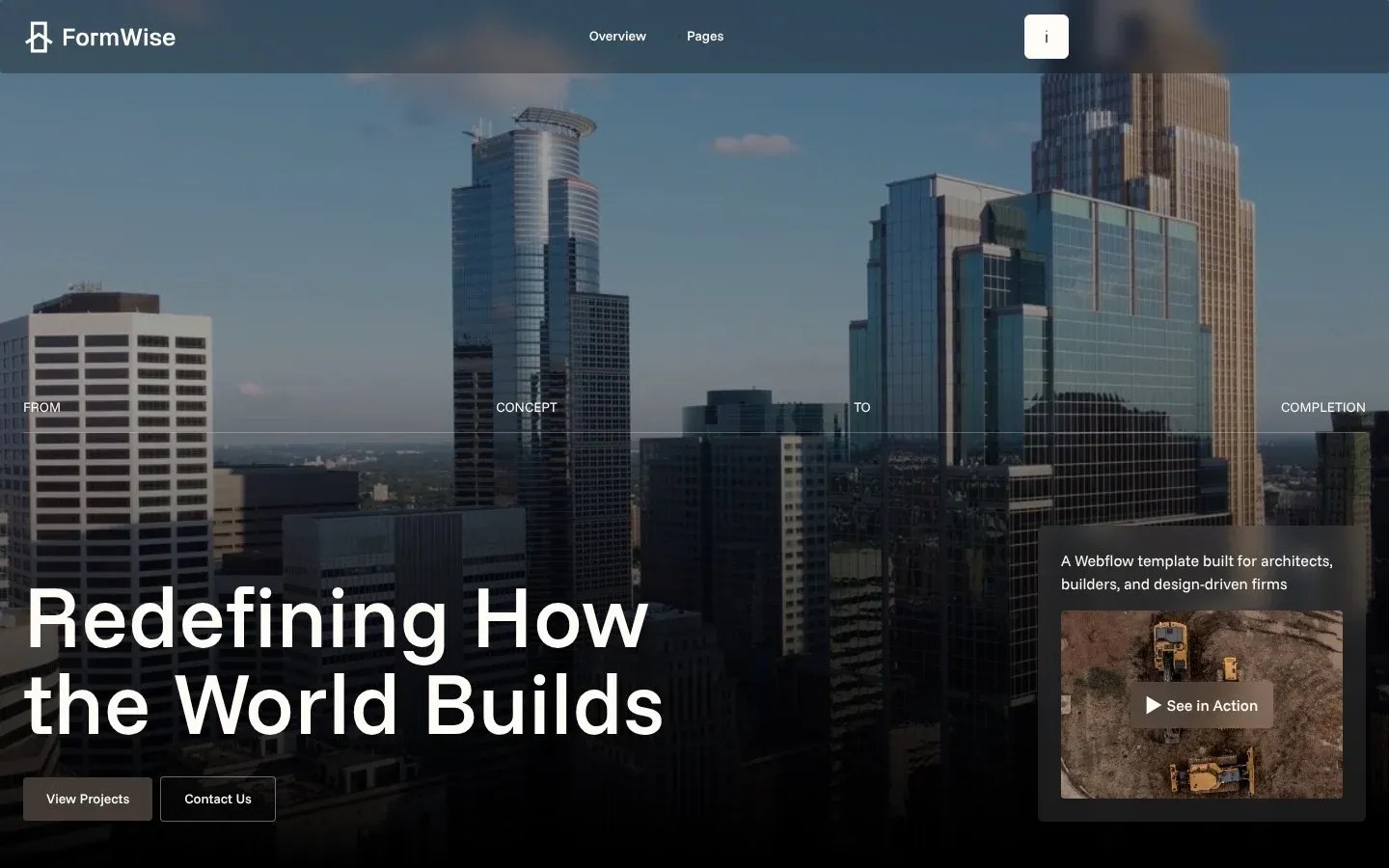
The formwise construction template home page

Built for the way construction businesses win work.

  • Construction companies and builders.

    Your services, your finished projects and a clear way to request a quote.

  • Contractors and trades.

    What you do, where you work, and your license number where it's required.

  • Architects and design-led firms.

    A portfolio of your projects, your studio and your registration details.

Templates

Construction website designs, made by people.

Each template comes with three home page layouts. Want to try another template later? Start a new site with it.

  • The FormWise template home page

    FormWise

    For construction companies and contractors. Services, project galleries and quote requests.

    Learn more: FormWise
  • The Frame&Co. template home page

    Frame&Co.

    For design-led construction and architecture firms. Portfolio, case studies and studio pages.

    Learn more: Frame&Co.

Pages

The pages every construction website needs.

Loonis suggests your pages from your current site and your business, starting with these:

Missing one? We mark it "Recommended" and help you add it. Have a page we don't, like a careers page? We build it from the template's own sections.

Your page plan

5 pages

  • HomeFound on your website
  • ServicesFound on your website
  • AboutFound on your website
  • ContactFound on your website
  • ProjectsRecommended for construction Recommended

Add a page

Three ways to start

How do you start a construction website in Loonis?

After you pick a template, the editor opens and asks how you want to start:

  1. Give us your content.

    Paste your current site, or upload your brochures, project sheets or photos.

  2. Guide me step by step.

    Describe your business in a few words and answer a few questions in the chat. Anything you skip keeps sample text you replace later.

  3. Use my own AI agent.

    On Pro and Premium, connect Claude Code, the Claude app, Cursor, Codex or another MCP tool to your site.

Then Loonis builds your site from your content. Edit it by chat, by hand or with the panels, and publish on your free name.loonis.app address or your own domain.

Checked before you publish

Construction website rules, checked for you.

Last updated Nov 2026

Construction website rules, checked for you.
CheckWhere it appliesWhat we do
Contractor license
  • US
  • Australia
  • Canada

Where your state or province requires it

Ask for your license number and show it in the footer or About page.
Architect registration
  • Everywhere

When you offer architecture: ARB (UK), US state boards, Architektenkammer (Germany)

Ask for your registration body and number and show them on your About page or footer, because "architect" is a protected title in many countries.
Insurance statement
  • Everywhere
Add "{business name} is fully insured for the work we carry out." only after you confirm you're insured.

We also write the way construction sites should:

  • No unproven badges.

    We don't call your business "certified", "accredited" or "fully insured" without a source.

Texts we suggest are a starting point, not legal advice.

We never guess your track record.

If your site needs one of these facts and we couldn't find it in your materials, it is marked on the page and listed on your Launch checklist:

  • That project photos show your own workConfirm
  • Accreditations and trade body membershipsConfirm
  • AwardsConfirm
  • Warranty or guarantee lengthConfirm
  • Years in businessConfirm
  • Projects completedConfirm

How Loonis uses photos on a construction website.

We use the photos from your website and files. AI images are only for mood and background spots, never presented as your buildings, interiors or projects, and the photographic style carries a note: "These are not photos of your properties." Project, team and site photos are always yours to add.

The frame-co construction template home page

These are not photos of your properties.

Construction website questions.

Contact us
What should a construction website include?

At least a home page, a services page, a projects page with your own photos, an about page and a contact page with a quote form and the areas you cover. Contractors in places that license them show their license number, and architects show their registration. Claims like "fully insured" need proof from you first.

Do I need my contractor license number on my website?

In many places, yes. In parts of the US, Australia and Canada, where the state or province requires a license, contractors show their license number on their website. Loonis asks for it and places it in your footer or About page. Check your local rules on where and how it must appear.

Can I call myself an architect on my website?

Only if you're registered. "Architect" is a protected title in many countries, for example with the ARB in the UK, state boards in the US and the Architektenkammer in Germany. If you offer architecture, Loonis asks for your registration body and number and shows them on your About page or footer.

Can my website say we're fully insured?

Yes, once you confirm it. Loonis never calls a business "fully insured", "certified" or "accredited" without a source. After you confirm you're insured, we can add: "{business name} is fully insured for the work we carry out." Accreditations and trade body memberships go on your Launch checklist until you confirm them.

Can Loonis build my project gallery from my photos?

Yes. Your projects are a collection: one page per project, filled from your website or files during the build. You add new projects later by chat or by hand. AI images are never presented as your buildings or projects, so the gallery only shows photos you provide.

Can I move my construction site from Wix or WordPress?

Yes. Paste your current site and Loonis reads your pages, projects, photos and brand colors. Some blog posts move during the build, and the rest can be imported after. Some sites block automatic reading. If yours does, upload your brochures, project sheets or photos instead, up to 10 documents and 30 photos, 50 MB in total.

How much does a construction website cost with Loonis?

You can build it free. The free plan includes your first site build, 50 AI credits once and one published site on a free loonis.app address, with no card needed. To use your own domain, Pro is $29 a month, billed $87 every 3 months, with 250 AI credits a month and up to 2 of your own AI agents per site. Or stay on Free and add hosting for $15 a month per site. Hand edits never use credits.

Your construction website, built from what you already have.

Prefer your own tools? Buy a template once, $169, and use it in Claude Code, Cursor, Codex, Figma or Webflow.

The frame-co construction template home page
The formwise construction template home page