






Consulting

Consulting website builder for advisory firms, law firms and coaches.

Loonis is a consulting website builder that builds your site from your own decks, case studies or current site, in templates designed by people for consulting. Start from your materials or answer a few questions. Loonis adds your services, your work and your contact details, and never promises results. Edit by chat, publish in minutes.

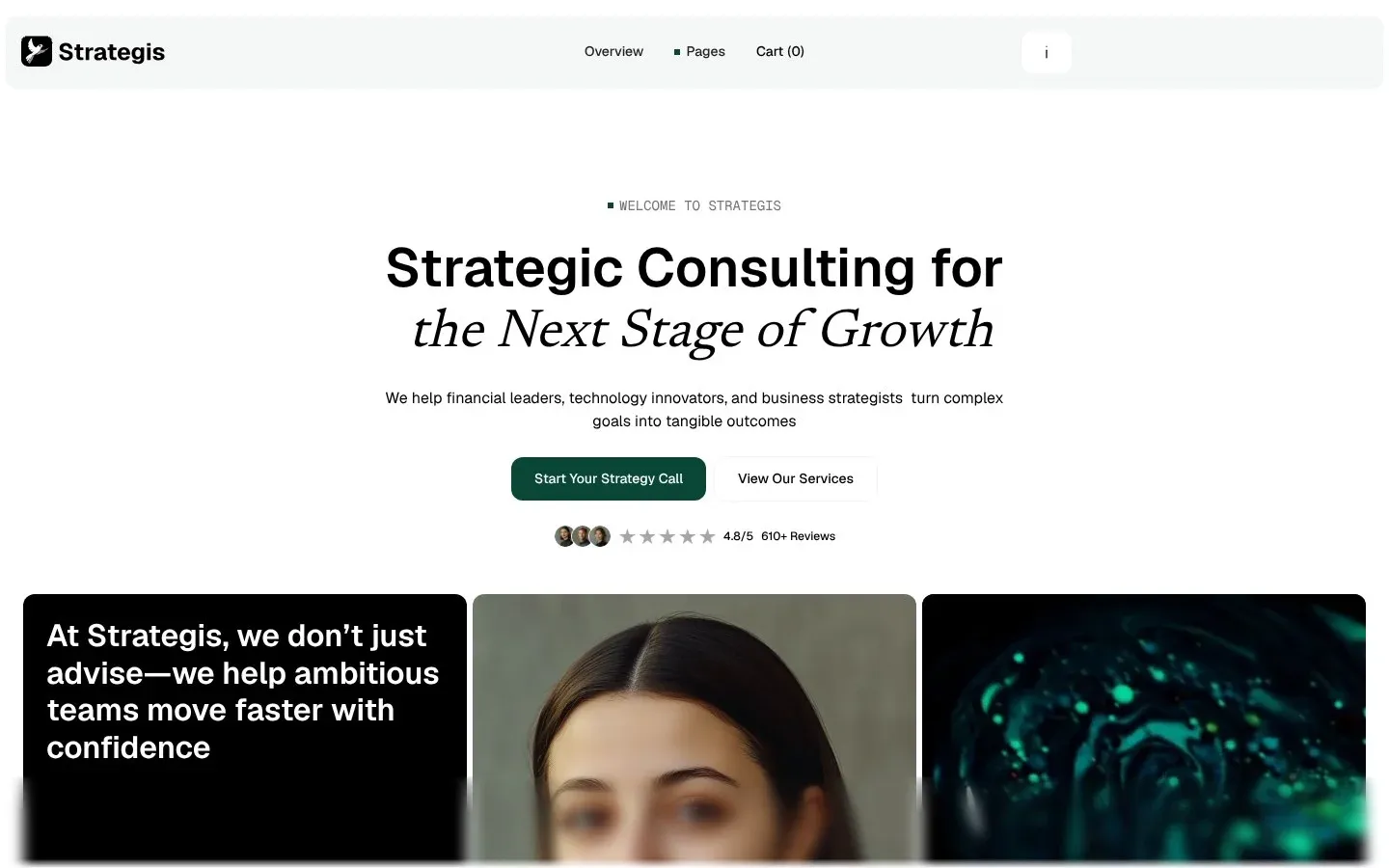
The strategis consulting template home page
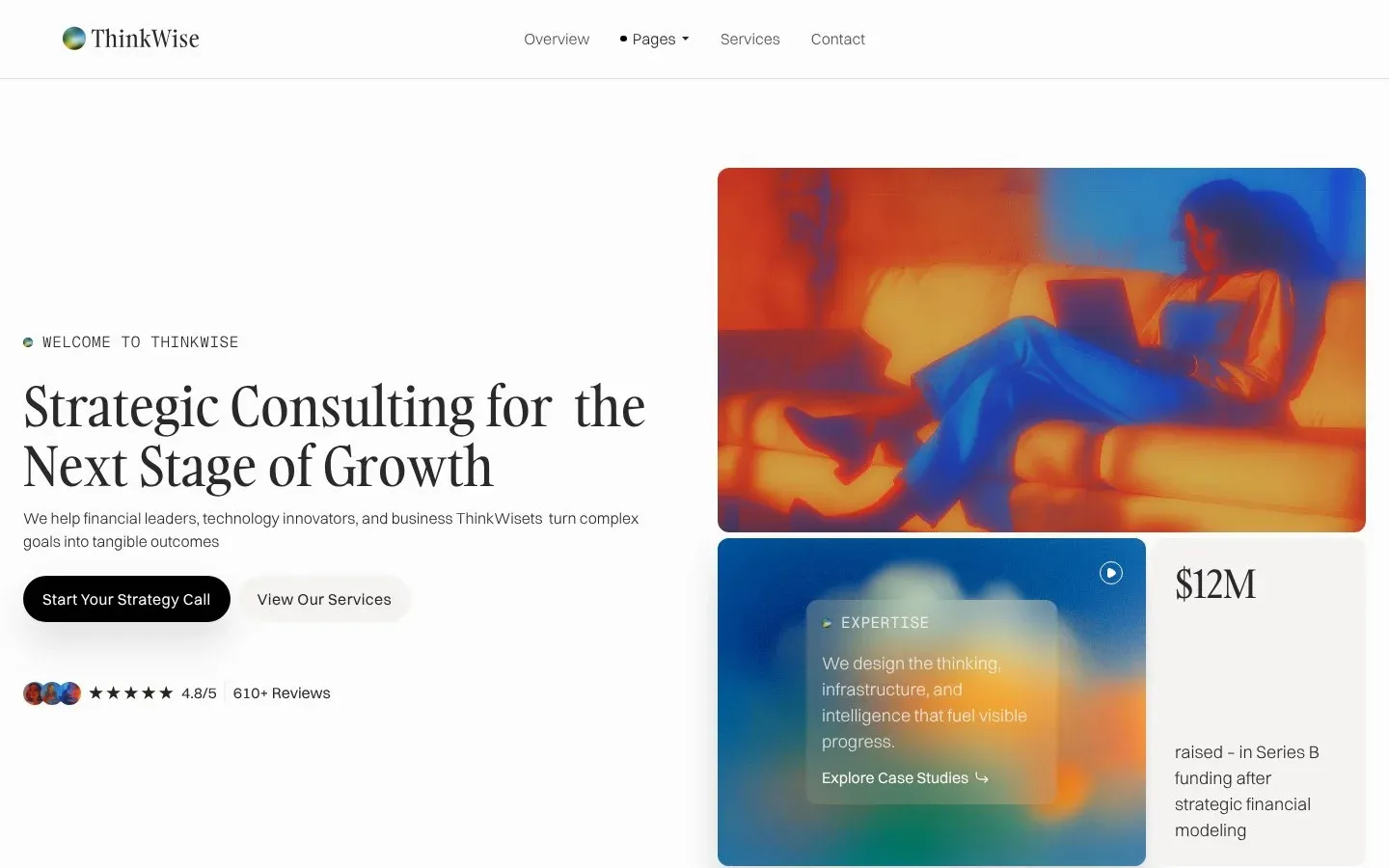
The thinkwise template home page
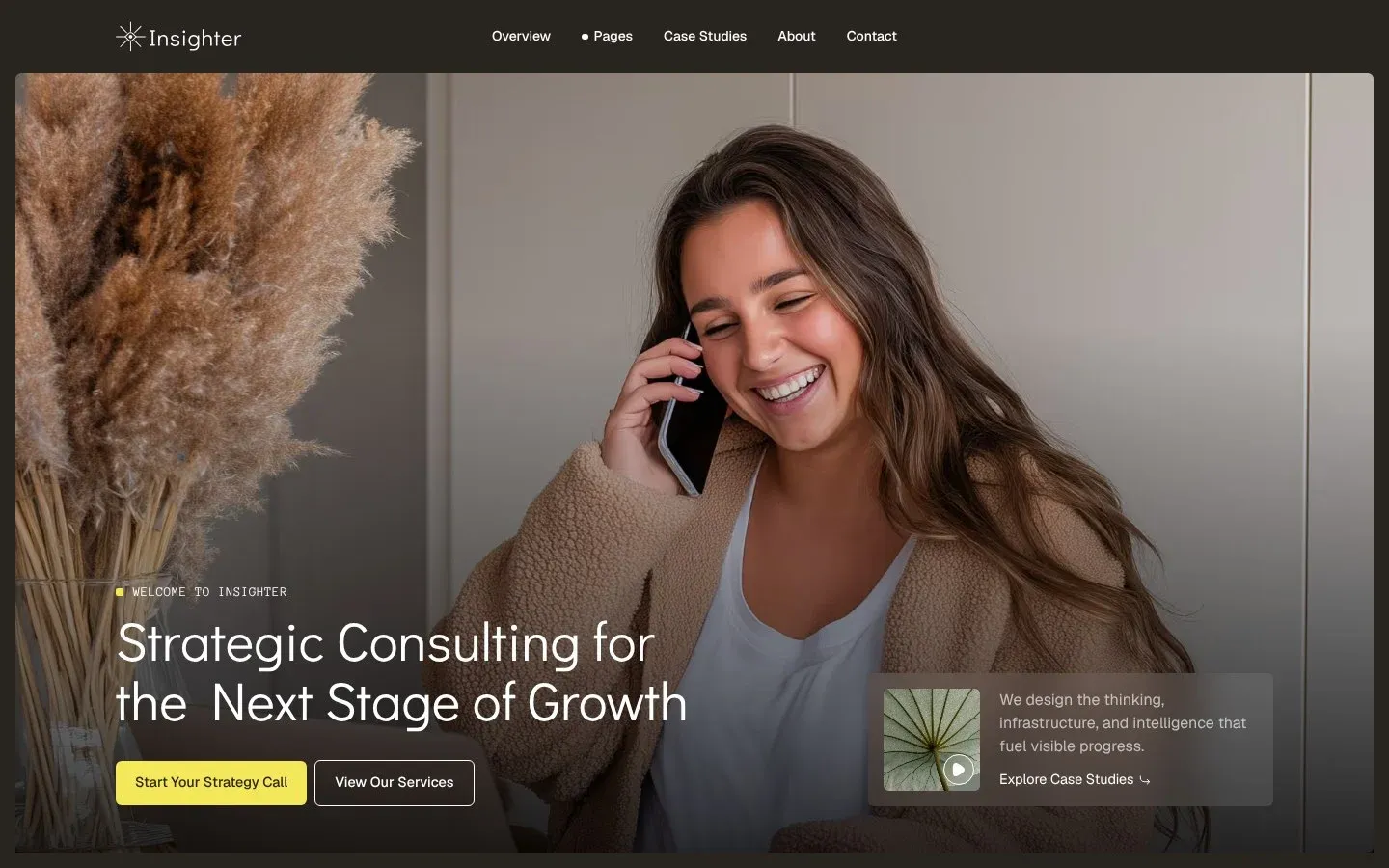
The insighter consulting template home page

Built for the way consultants win clients.

  • Consulting and advisory firms.

    Your services, your case studies and a clear way to book a discovery call.

  • Law firms.

    Practice areas, your lawyers and your registration details in the footer.

    Law firm website builder
  • Coaches and trainers.

    Your programs, who they're for and how to start working with you.

Templates

Consulting website designs, made by people.

Each template comes with three home page layouts. Want to try another template later? Start a new site with it.

Pages

The pages every consulting website needs.

Loonis suggests your pages from your current site and your business, starting with these:

Missing one? We mark it "Recommended" and help you add it. Have a page we don't, like a speaking page? We build it from the template's own sections.

Your page plan

5 pages

  • HomeFound on your website
  • ServicesFound on your website
  • AboutFound on your website
  • ContactFound on your website
  • Case studiesRecommended for consulting Recommended

Add a page

Three ways to start

How do you start a consulting website in Loonis?

After you pick a template, the editor opens and asks how you want to start:

  1. Give us your content.

    Paste your current site, or upload your decks, case studies or brand book.

  2. Guide me step by step.

    Tell us about your firm in a few lines, pick your pages, then add your logo, colors, main button, photos and contact details. Loonis writes your Home page and About intro from your description; the other pages keep sample text, listed on your Launch checklist for you to replace.

  3. Use my own AI agent.

    On Pro and Premium, connect Claude Code, the Claude app, Cursor, Codex or another MCP tool to your site.

Then Loonis builds your site from your content. Edit it by chat, by hand or with the panels, and publish on your free name.loonis.app address or your own domain.

How Loonis writes

Consulting website rules Loonis writes by.

Last updated Nov 2026

Each consulting template carries these writing rules, and Loonis follows them each time it writes or edits your site:

  • Results with their source.

    Figures like money raised or clients advised come only from you, with their date and source.

  • Real clients only.

    Client names and logos only with permission, and testimonials only from real clients who agreed.

  • No promised outcomes.

    No promise of funding, growth, returns or personal results. Your site describes the work.

  • Law firms.

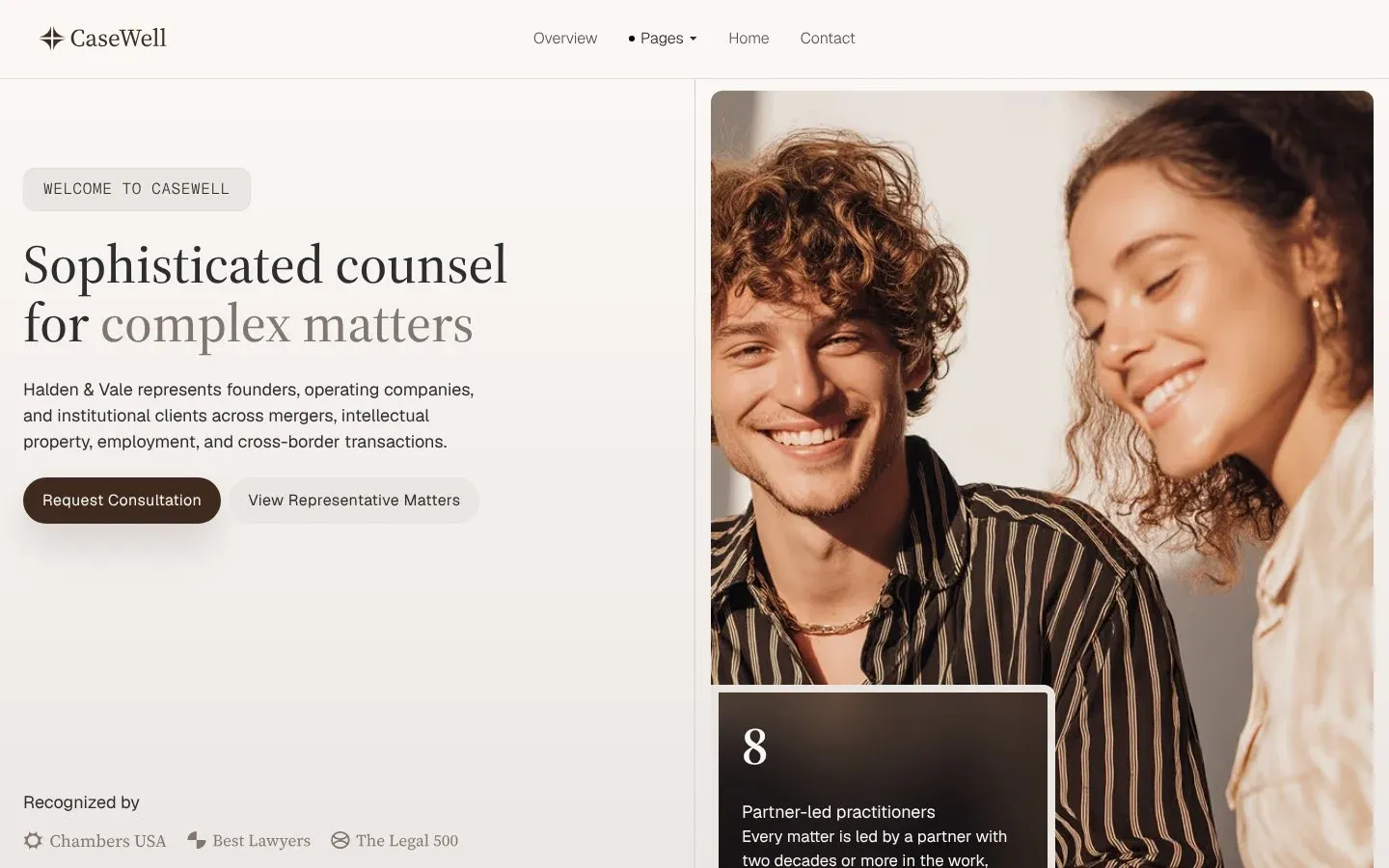
    CaseWell names the jurisdictions you're licensed in, never guarantees an outcome, and tells visitors that sending a message doesn't create a client relationship.

  • Coaching.

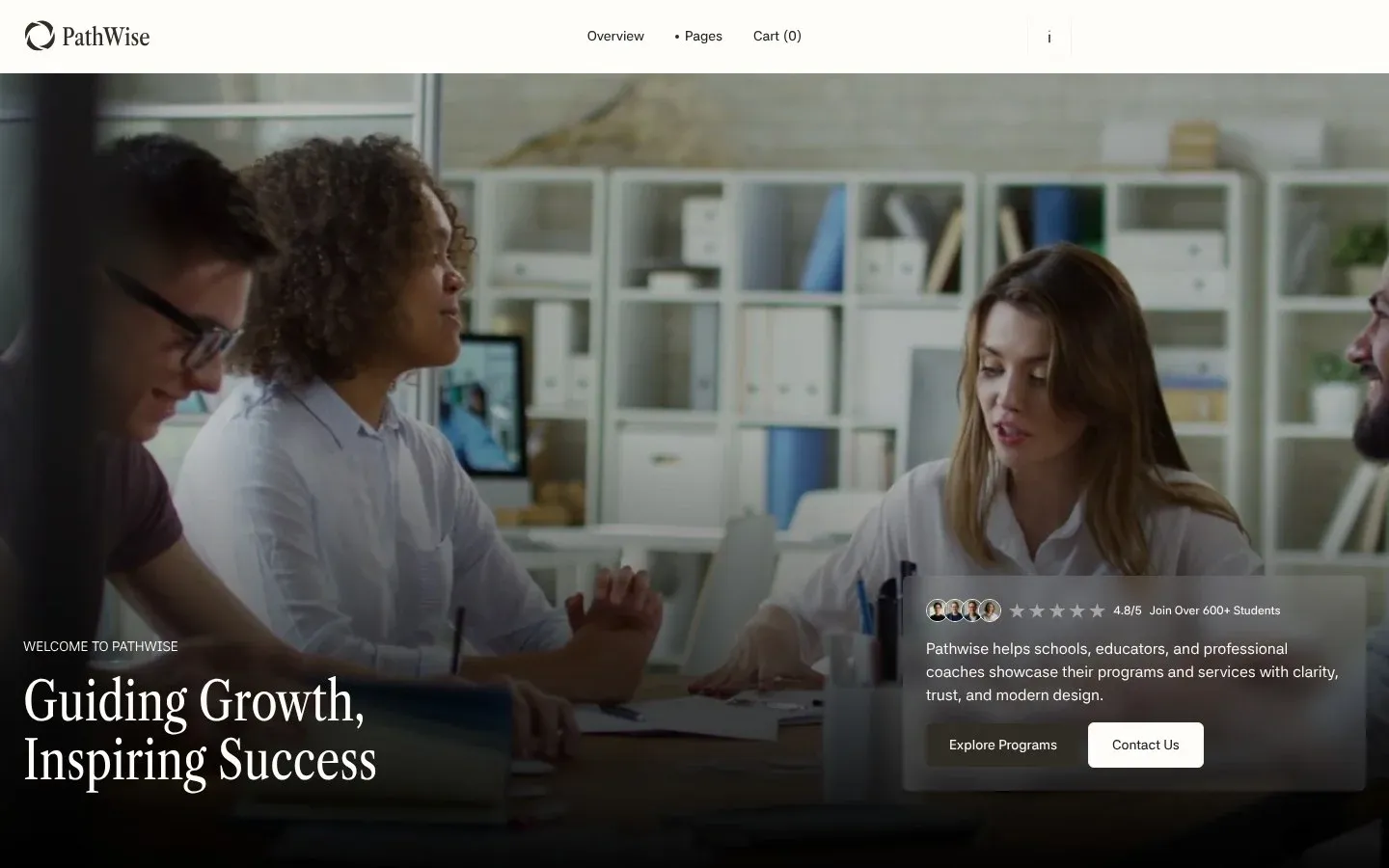
    PathWise never promises jobs, grades, income or personal results.

Your professional registration and a note on your articles aren't added for you. Law firms and other regulated advisers add their registration body and number by chat.

Texts we suggest are a starting point, not legal advice.

We never guess your results.

These come only from you. If one is missing, the template's sample text stays in its place and is listed on your Launch checklist:

  • Client names and logos (only clients who allow it)Confirm
  • Results in case studies, like "cut costs by 30%"Confirm
  • Years of experienceConfirm
  • CertificationsConfirm

How Loonis uses photos on a consulting website.

We use the photos from your website and files. AI images are only for mood and background spots, never presented as you, your team, your clients or your work, and they never show logos. Team and portrait photos are always yours to add.

The casewell consulting template home page

These are not photos of your team.

Consulting website questions.

Contact us
What should a consulting website include?

At least a home page, a services page, an about page and a contact page with a discovery call or inquiry form. Case studies are strongly recommended, with one page per client project, but only with client names and results you're allowed to share. If you publish articles, add a note that they are general information, not advice.

Does a law firm website need a registration number?

Usually, yes. Law firms and other regulated advisers show their registration body and number, most often in the footer. Loonis doesn't add it for you, so add a line by chat, like "{business name} is registered with {body}, number {number}." Bar associations and law societies have their own website rules, so check yours before you publish.

Do I need a disclaimer on my consulting articles?

It's a good idea if you publish articles or guides, most of all on legal and financial topics. Loonis doesn't add one for you. Add a short note by chat, for example: "This content is general information, not advice for your situation. Contact us before acting on it."

Can a coaching website talk about health or wellbeing results?

Not as promises. PathWise's writing rules never promise jobs, grades, income or personal results, so your site describes your programs, who they're for and how you work. Health or wellbeing claims are yours to check against the rules that apply to you before you add them by chat.

Can clients book a discovery call on my site?

Yes, through your own booking tool. Paste your booking link, for example from your calendar tool, and the main button opens it. Without a link, the button opens a booking request form and you reply yourself. Loonis does not have its own booking system, so your calendar stays where it is.

Can I move my consulting site from Wix or WordPress?

Yes. Paste your current site and Loonis reads your pages, services, case studies, photos and brand colors. Some blog posts move during the build, and the rest can be imported after. Some sites block automatic reading. If yours does, upload your decks, case studies or brand book instead, up to 10 documents and 30 photos, 50 MB in total.

How much does a consulting website cost with Loonis?

You can build it free. The free plan includes your first site build, 50 AI credits once and one published site on a free loonis.app address, with no card needed. To use your own domain, Pro is $29 a month, billed $87 every 3 months, with 250 AI credits a month and up to 2 of your own AI agents per site. Or stay on Free and add hosting for $15 a month per site. Hand edits never use credits.

Your consulting website, built from what you already have.

Prefer your own tools? Buy a template once, $169, and use it in Claude Code, Cursor, Codex, Figma or Webflow.

The casewell consulting template home page
The insighter consulting template home page
The pathwise consulting template home page