





How does Loonis build my site from my website or files?
ANSWER
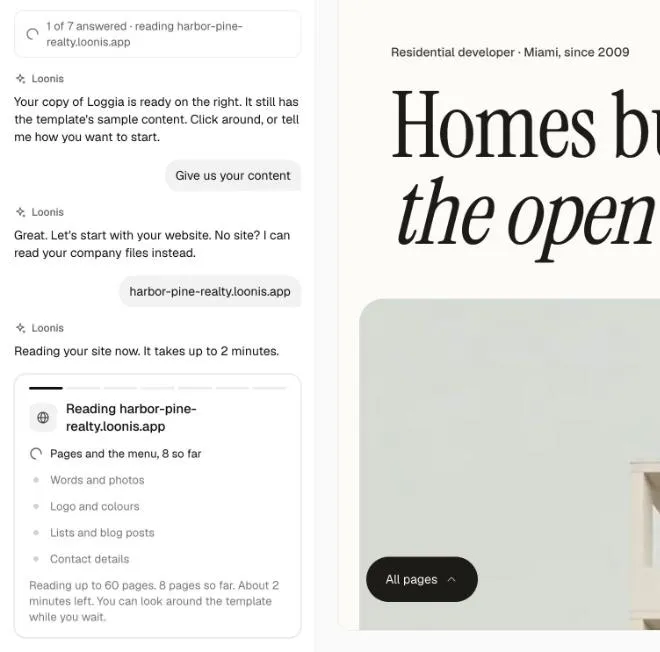
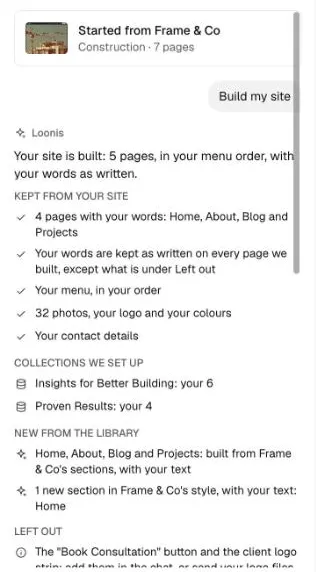
Loonis reads your website or files, then rebuilds your template with your pages, words, photos, logo and colors. It keeps your words as written, and anything it could not take from your content goes on your Launch checklist for you to check.
What Loonis reads
- From a website: pages and the menu, words and photos, logo and colors, lists and blog posts, contact details.
- From files: the text in PDF, DOCX and PPTX files, plus the photos and logo you add.
Steps
- Choose "Give us your content: website or files".
- Type your website address and click "Read my site". Or click "No website yet", add files and click "Read my files".
- Under "Which pages do you need?", tick the pages you want. Up to 8 fit in the first build.
- Check your name and logo, colors, main button, photos and contact details. Change anything that's off.
- Click "Build my site". Loonis builds page by page and shows its progress.
- Read the summary in the chat, then open the Launch checklist.
Good to know
- Template photos and sample text that are left on your site get their own Launch checklist items.
- Documents you upload are deleted after the build. Your photos and logo stay with your site.
- If reading fails, your site may be offline or block reading tools. Click "Try again", "Add files instead" or "Or let me guide you step by step". Nothing changes on your new site.
Still stuck?
Email hello@loonis.co, we reply within 2 business days.