





How do I edit text and images by hand?
ANSWER
In the Loonis editor, click any text and type, or click a photo to upload or choose another. Editing by hand never uses AI credits, and every change can be undone.
Steps
- Build your site first. Editing opens once the first build is done.
- Text: click it and type. Press Enter or Esc, or click outside, to finish. On a phone or tablet, tap once to select and again to edit.
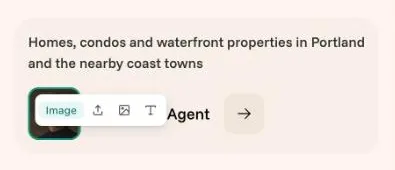
- Photo: click it. A small "Image" toolbar opens with three icons: upload a photo, choose one from Assets, and alt text to describe the photo for people who can't see it.
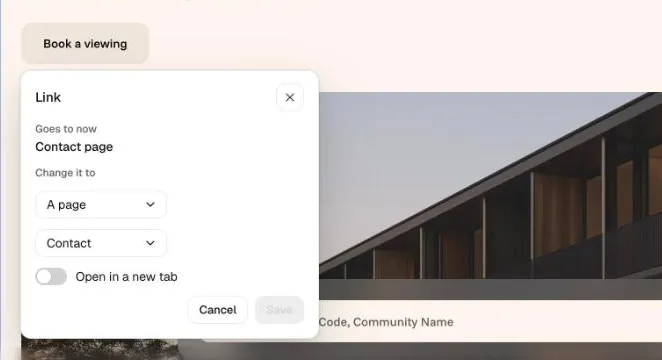
- Button or link: click its words to change them. To change where it goes, click "Link", pick a page, a section, a web address, an email or a phone number, then click "Save".
- Section: click an empty spot in it. Its name shows at the top left, and a toolbar opens at the top right: "Ask AI", swap, move up, move down and delete.
- Made a mistake? Click "Undo" in the top bar, or press Cmd+Z (Ctrl+Z on Windows).
Good to know
- Your hand edits on a page are saved together as one version.
- Some text is made by a section's code. Click "Ask AI" on the hint to change it in the chat.
- "Rewrite with AI" and "Swap for another section" use credits. Moving and deleting sections are free.
Still stuck?
Email hello@loonis.co, we reply within 2 business days.